Overview
Projects is Adobe's solution for sharing a group of assets across the Creative Cloud ecosystem. They can hold folders and any file type with permissions and sharing settings for teams and enterprises.
I led design for the second half of the multi-year rollout, bringing Projects into flagship desktop and web apps (Photoshop, Illustrator, InDesign), as well as Adobe Home and Firefly. Alongside that, I designed enterprise features that let organizations with hundreds of projects manage workspaces, profiles, and creation permissions at scale.
Post-launch, Projects had expanded to 10 apps, and MAU grew 27% to 376K, with 82% of users on paid plans.
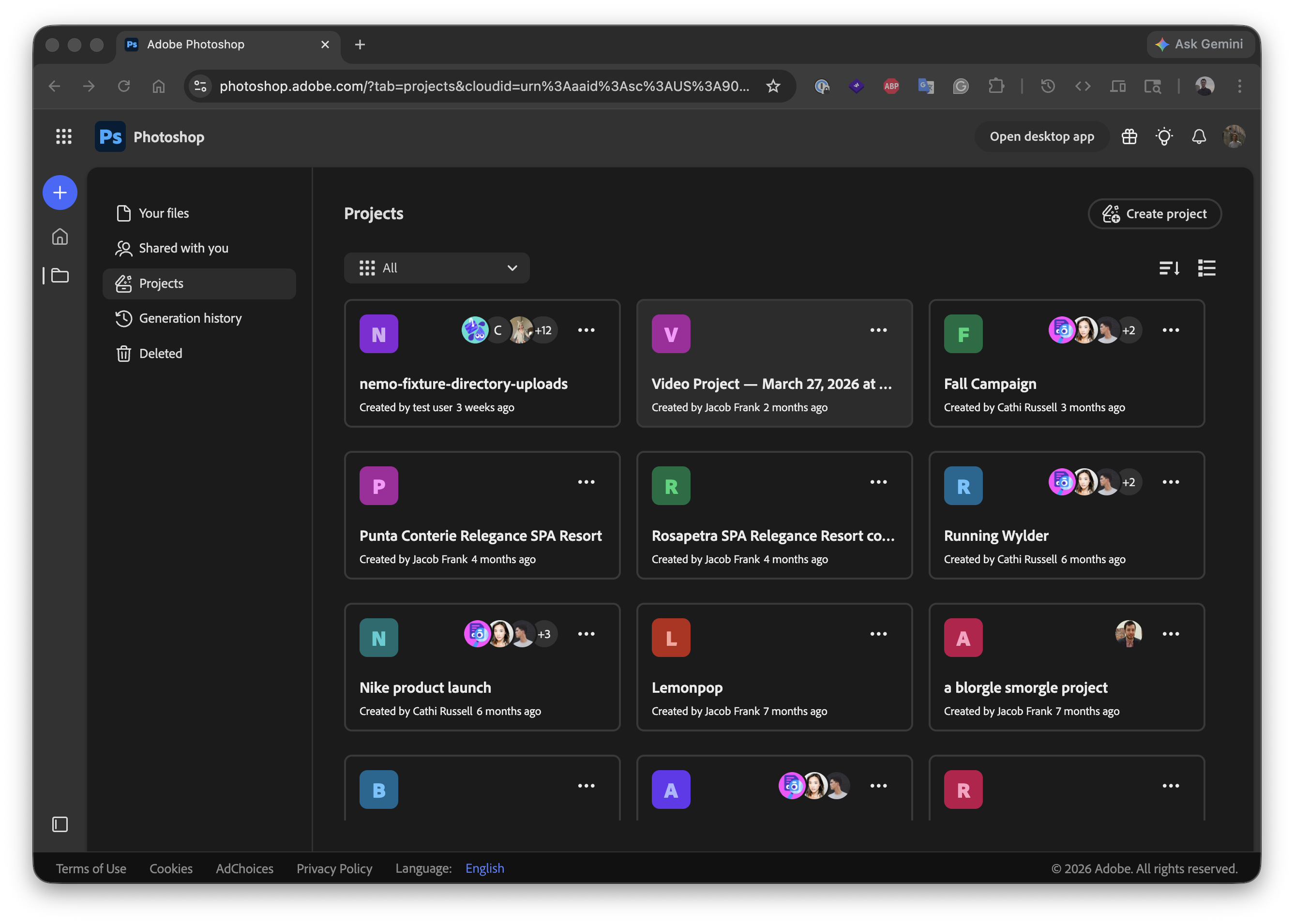
The strategic call was to ship Projects into Photoshop, Illustrator, and InDesign before the rest of the Adobe ecosystem was fully ready. Getting the surface in front of real users early and providing value was worth more than waiting for full feature parity with Adobe Express. Within Photoshop, users could finally share assets and collaborate through a file management structure, something the desktop apps never had.
Cards & metadata
Hiding unsupported formats would feel like data loss, so every file in a Project had to be visible. The cards had to communicate file type, sync state, location, and last-edited metadata in a small footprint that worked in both a panel and a full-page grid.
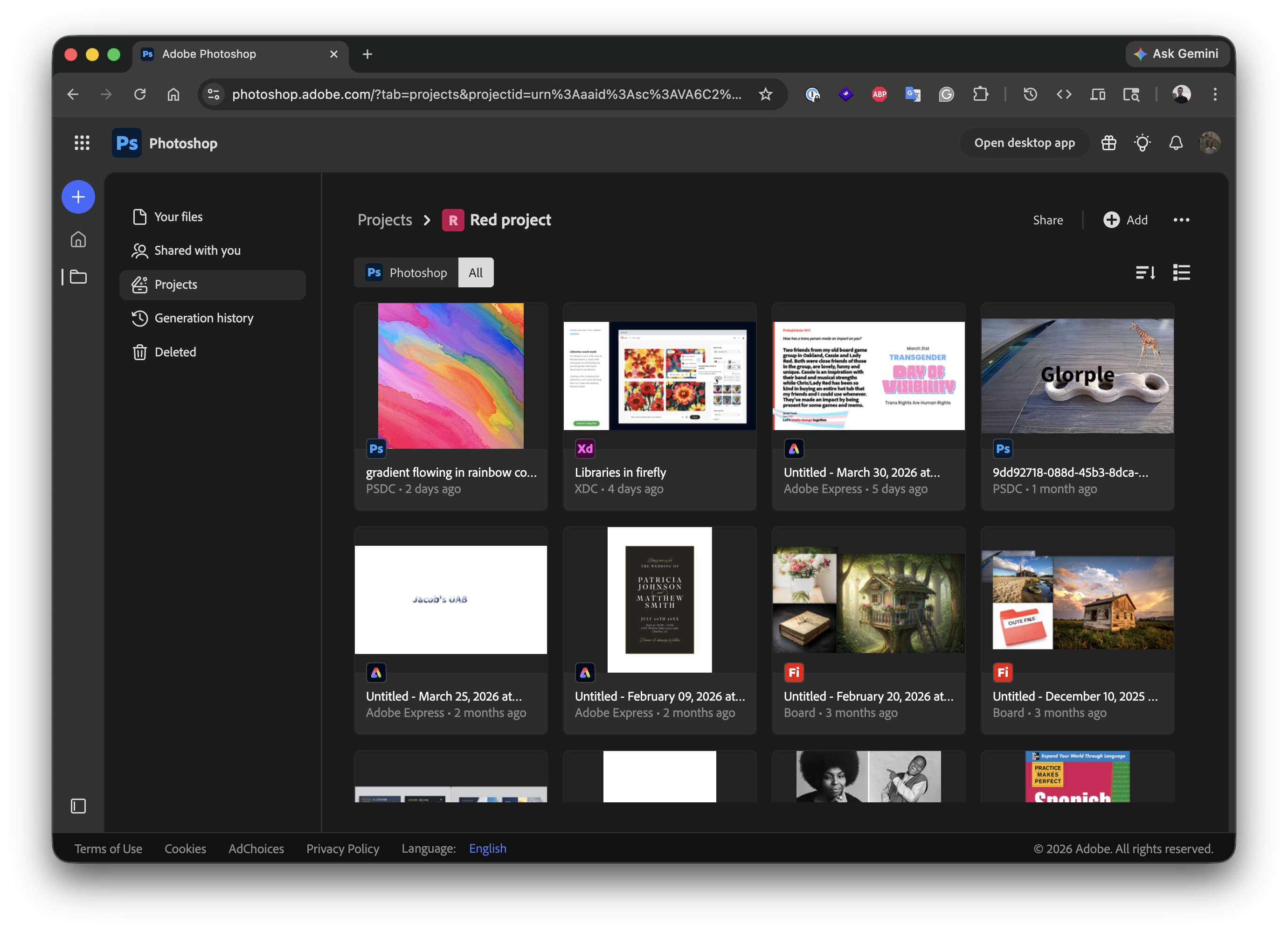
Mixed file types in a project — the cards communicate file type, sync state, and last-edited metadata at a glance.
For files the host app couldn't open, I designed an "Open in another app" view that handed the user off cleanly without making the file feel inaccessible.
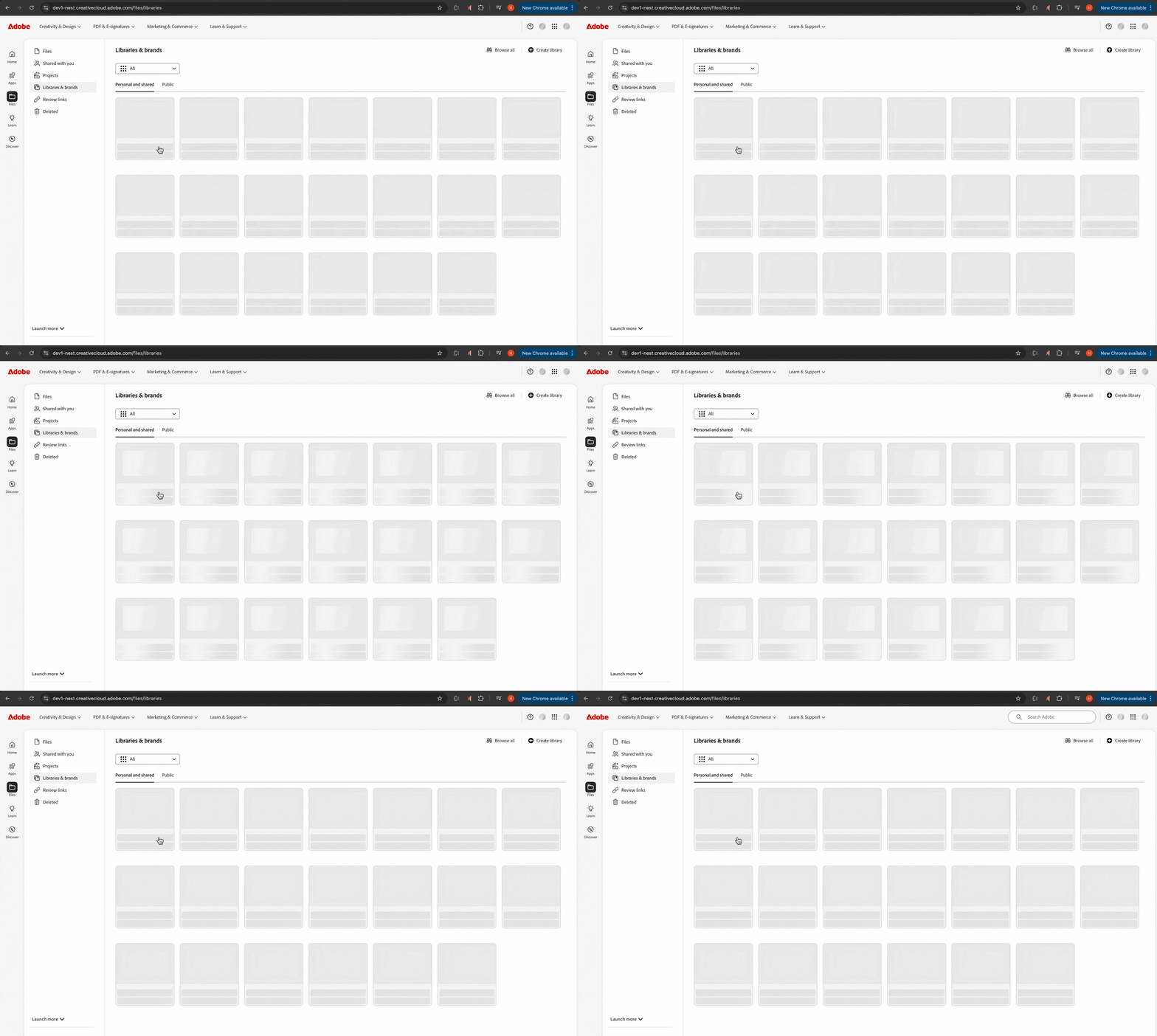
Skeleton loading, coded in CSS
Project content loads from the cloud, often over slow connections inside a heavy app like Photoshop. A spinner in that context reads as failure, and with limited scope, I designed and coded a ghost-loading skeleton animation that mirrored the cards.
Navigation, members, delete
I added a breadcrumb navigation component for moving in and out of projects as well as any folders nested within them, designed the member-management screens for adding people and assigning roles, and worked through the delete flow, which had to be reassuring without being annoying, since accidental deletes inside a shared workspace cascade across collaborators.
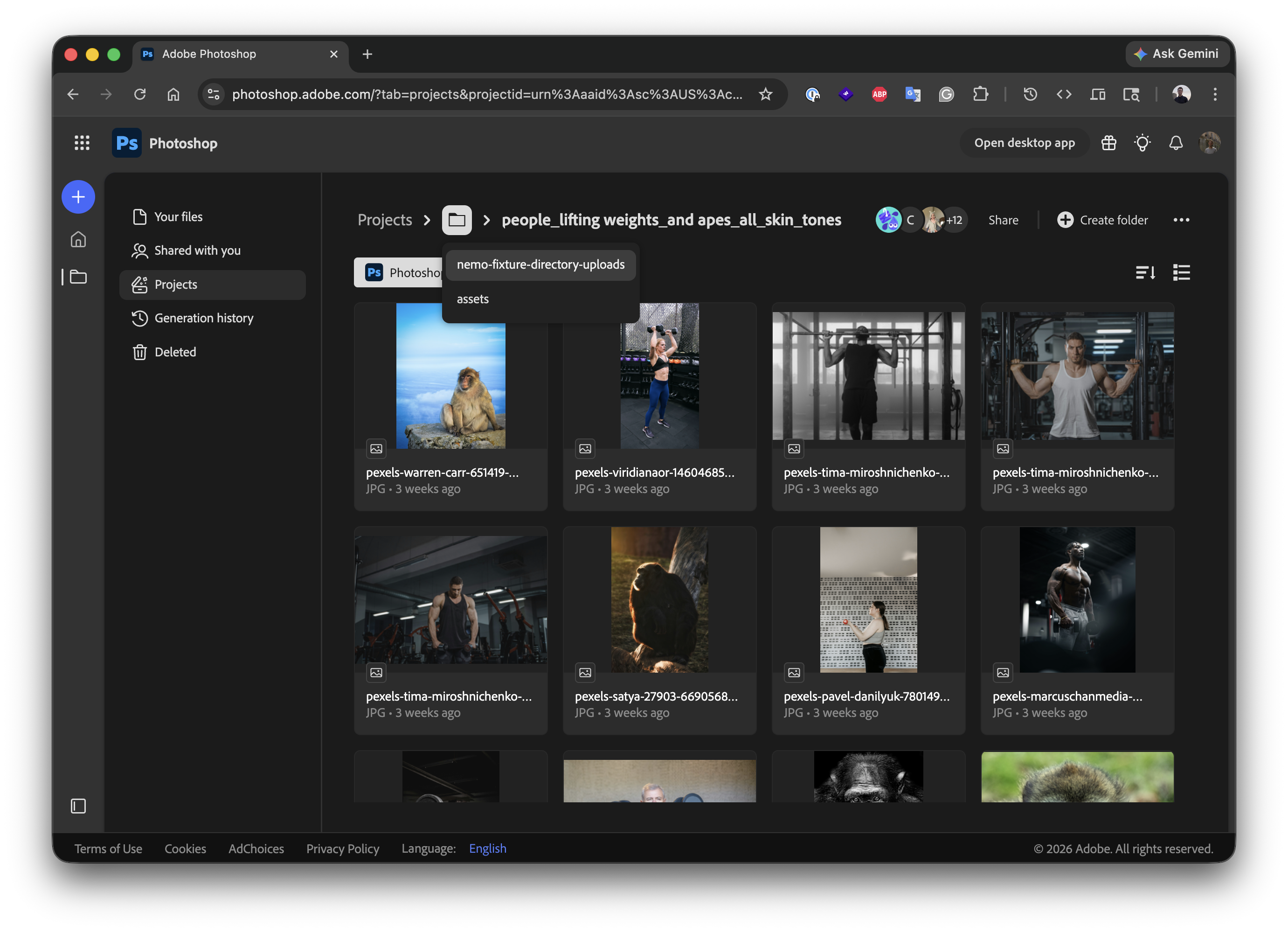
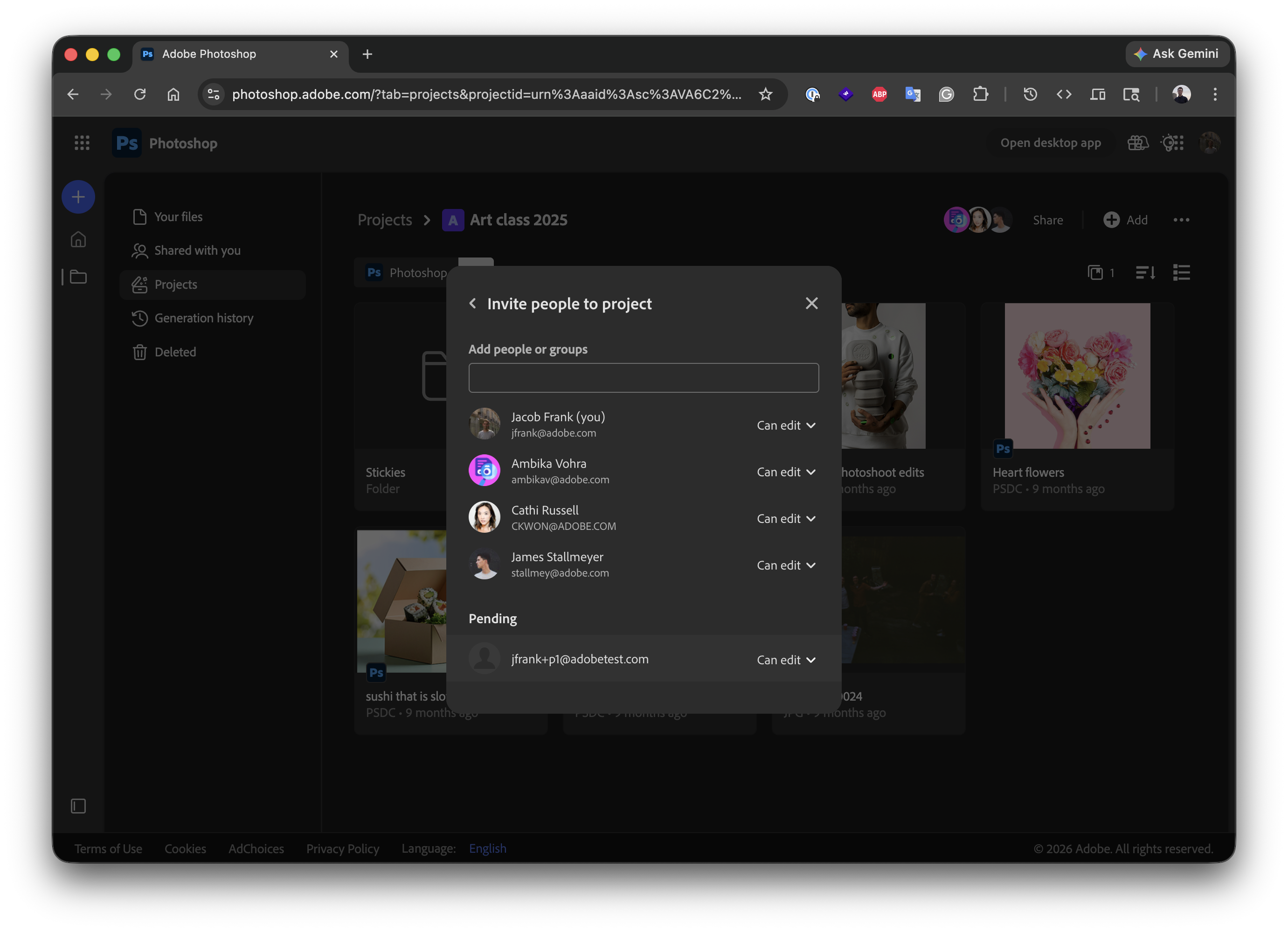
Breadcrumb nav (left) and member management (right).
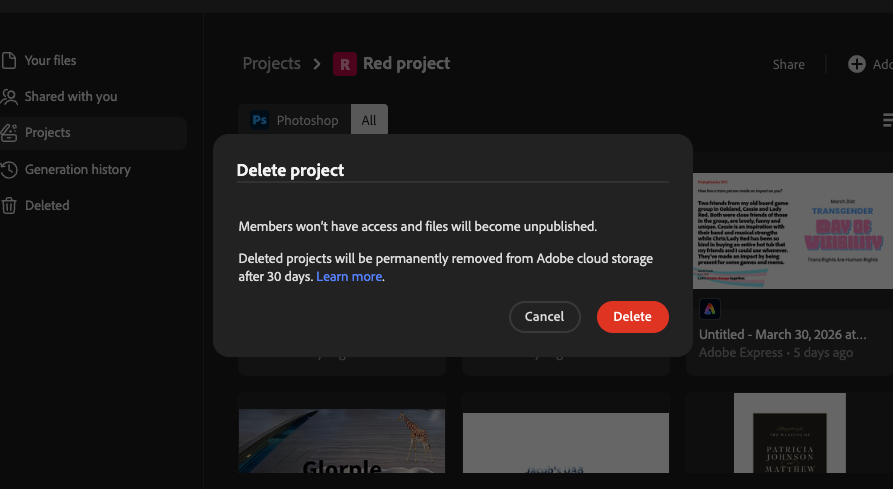
The delete flow had to be clear without being alarming — accidental deletes in a shared workspace affect everyone.
Onboarding
A user's first time inside a project is the moment Projects either lands as a feature or fades into the background, so I adjusted copy and made sure creating a project was easy and involved no more than a few clicks. It was meant to feel like creating a folder, but with more features.
Early exploration of the Projects entry point in Adobe Home — the animation helped surface active projects without requiring navigation.
Sync simplification
A large body of work that didn't ship with a marketing moment: redesigning the experience for saving files for offline use. To build more trust in our cloud storage solution and reduce cloud spend, we had to adjust the offline syncing flow to avoid cloud sync errors.
It was an important feature to nail because most desktop users worked with local files, so when they used cloud files, we had to make it just as seamless. The previous process caused a lot of headaches if cloud files were edited by someone else while the user was offline. The previous flow, designed half a decade earlier, hid the offline status and syncing, so I redesigned it, reducing the number of states and making it more obvious when a file would be available offline or had a different sync status.
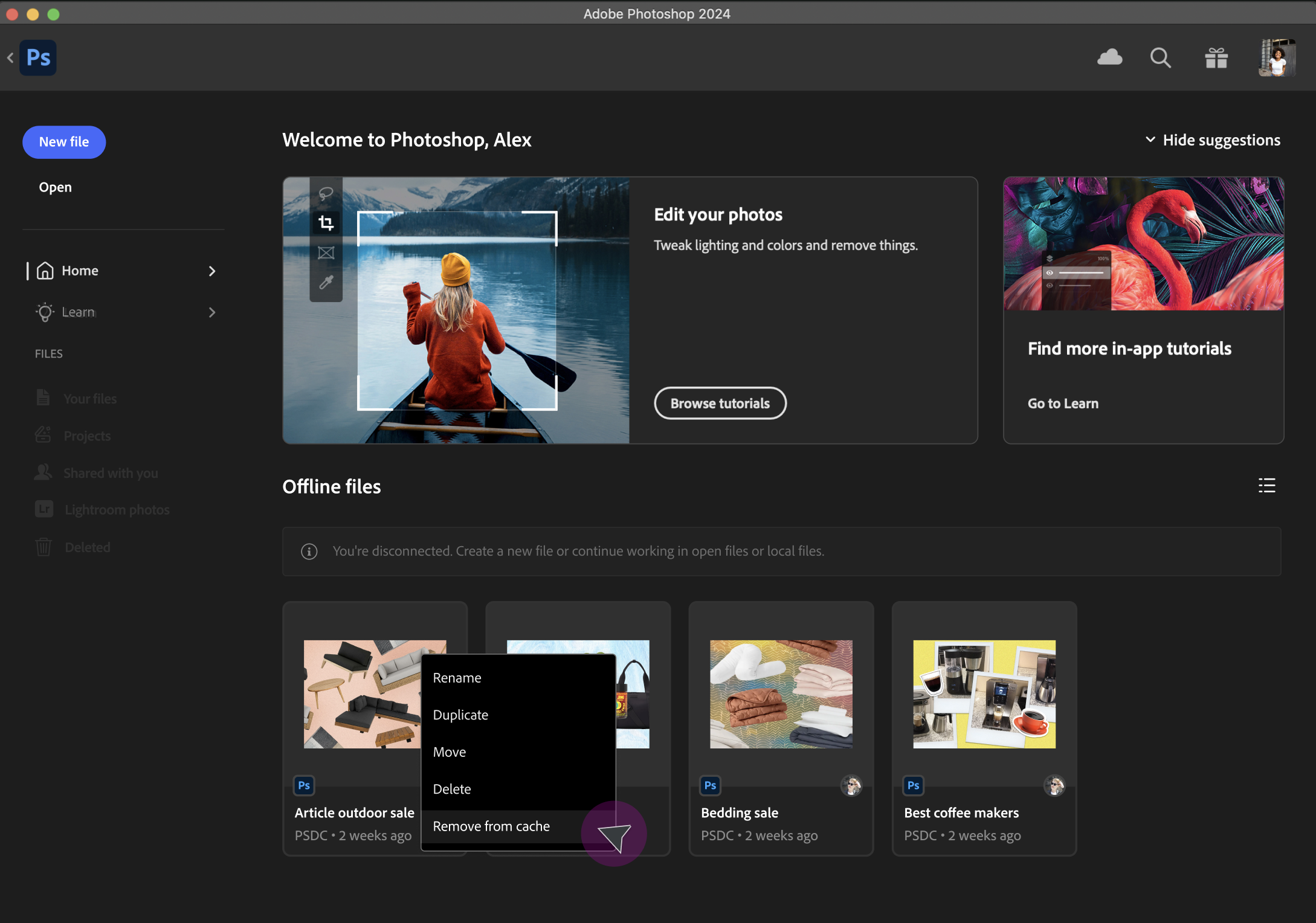
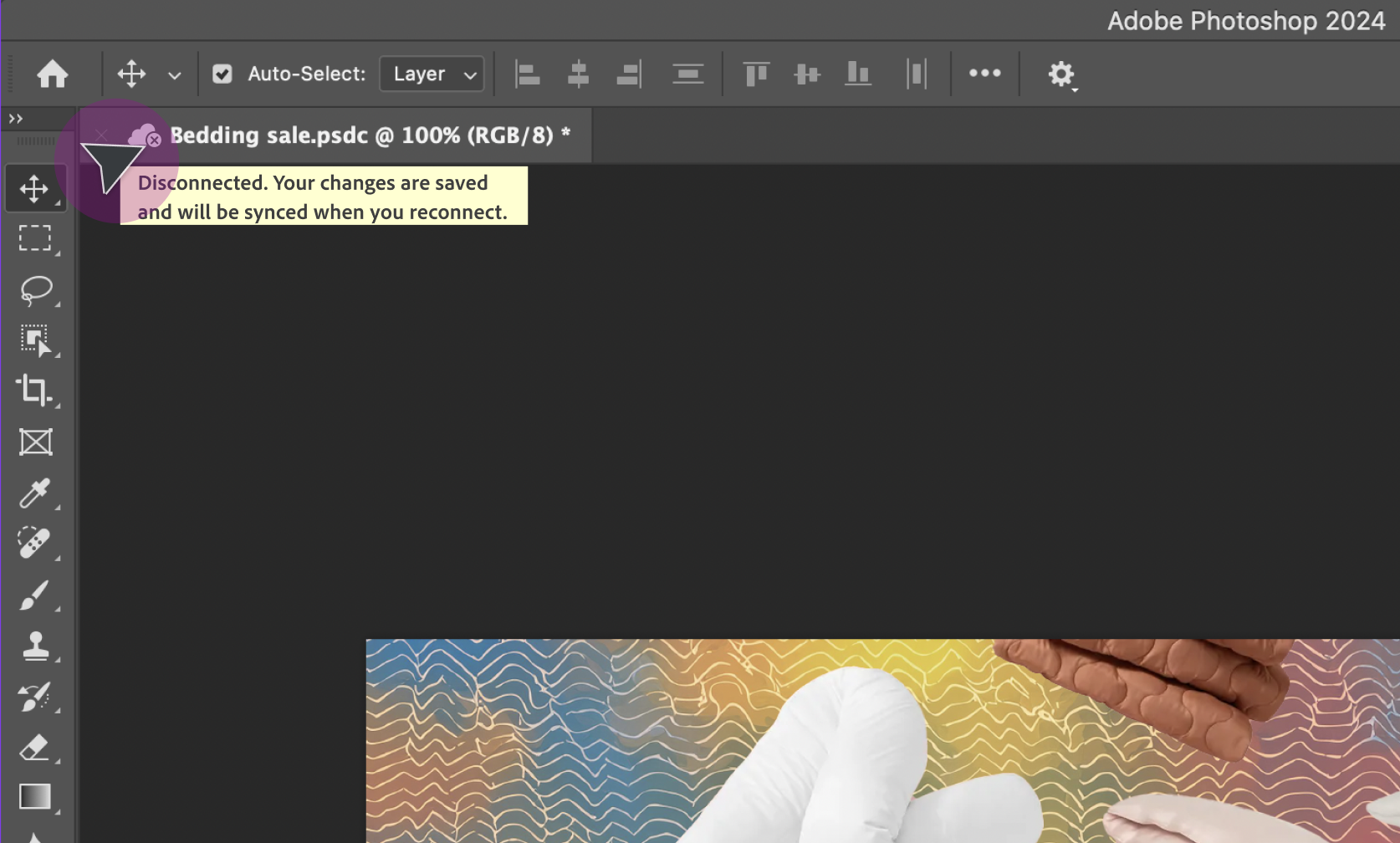
Redesigned sync states: removing a file from local cache (left) and the offline warning before editing (right). Both were hidden or unclear in the previous design.
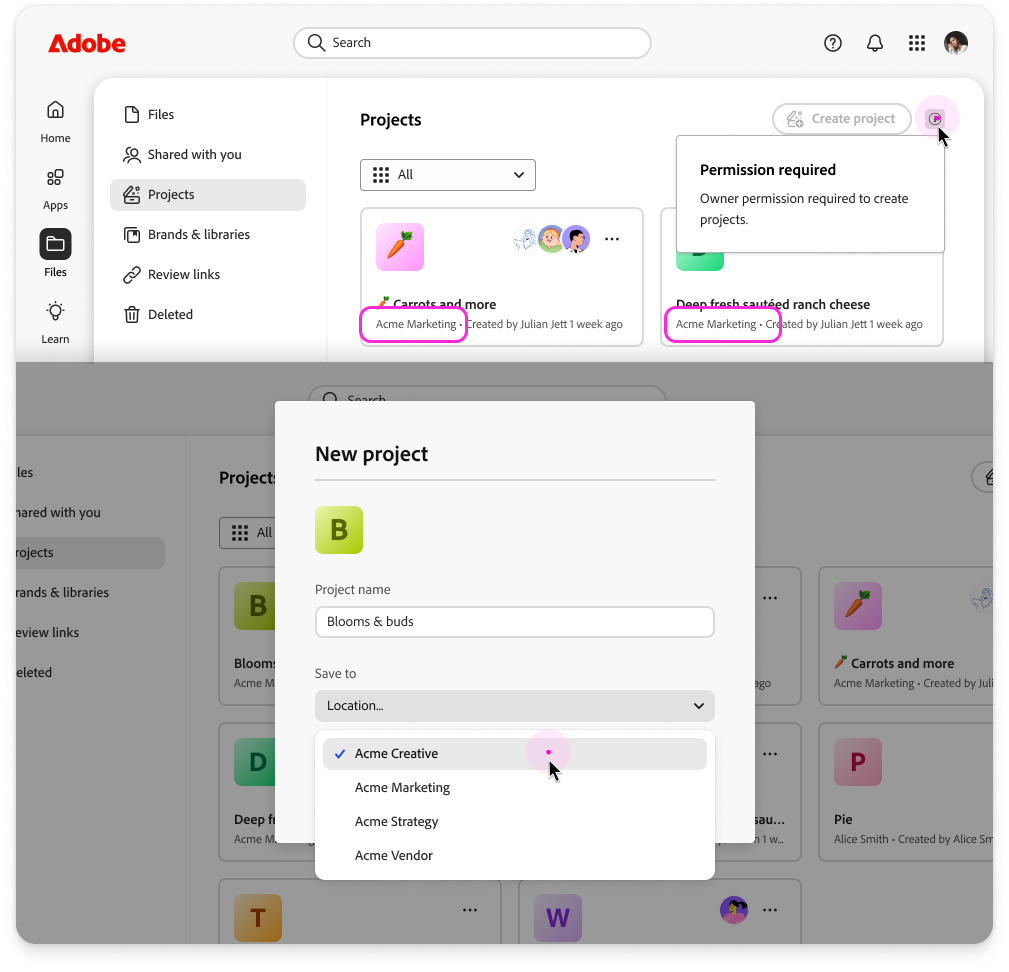
Enterprises with hundreds of projects and assets were looking for a way to grant people structured permissions during project creation and to route those projects into a specific organization rather than scattering them across the enterprise. Without it, Projects didn't scale effectively beyond a small team.
Workspaces & creation permissions
I designed the flow that allows admins to grant users permission to create projects and route them to a chosen org. The hard part wasn't any single screen. It was making the permission model legible to a designer who is just trying to start a project, rather than parsing org policy or having to ask their admin.
Consolidated profiles
Enterprise users often live in multiple workspaces — agency work, freelance, and an in-house brand can all sit under the same Adobe identity. I designed consolidated profiles so a user's projects, workspaces (organization), and permissions surface together in one identity-aware view rather than fragmenting across context switches.
Consolidated profile view — projects, workspaces, and permissions in one identity-aware surface.
Impact
The growth in Projects usage is a signal. It pulls users already invested in the suite into a workflow that ties them deeper across apps — exactly the cross-app stickiness the strategy was aiming for.
What I Learned
Shipping before the ecosystem is ready is a real design constraint, not a failure mode. Several decisions on cards, file-type handling, and skeleton loading were made because we chose to ship it to Photoshop while other surfaces caught up, and early user feedback shaped the rest of the rollout in ways a polished, simultaneous launch wouldn't have.
The unglamorous work is where the leverage lives. Sync simplification didn't ship with a marketing moment, but it cut data loss by 62% and reduced infrastructure costs by half; these small features matter, even though they can be a little boring.